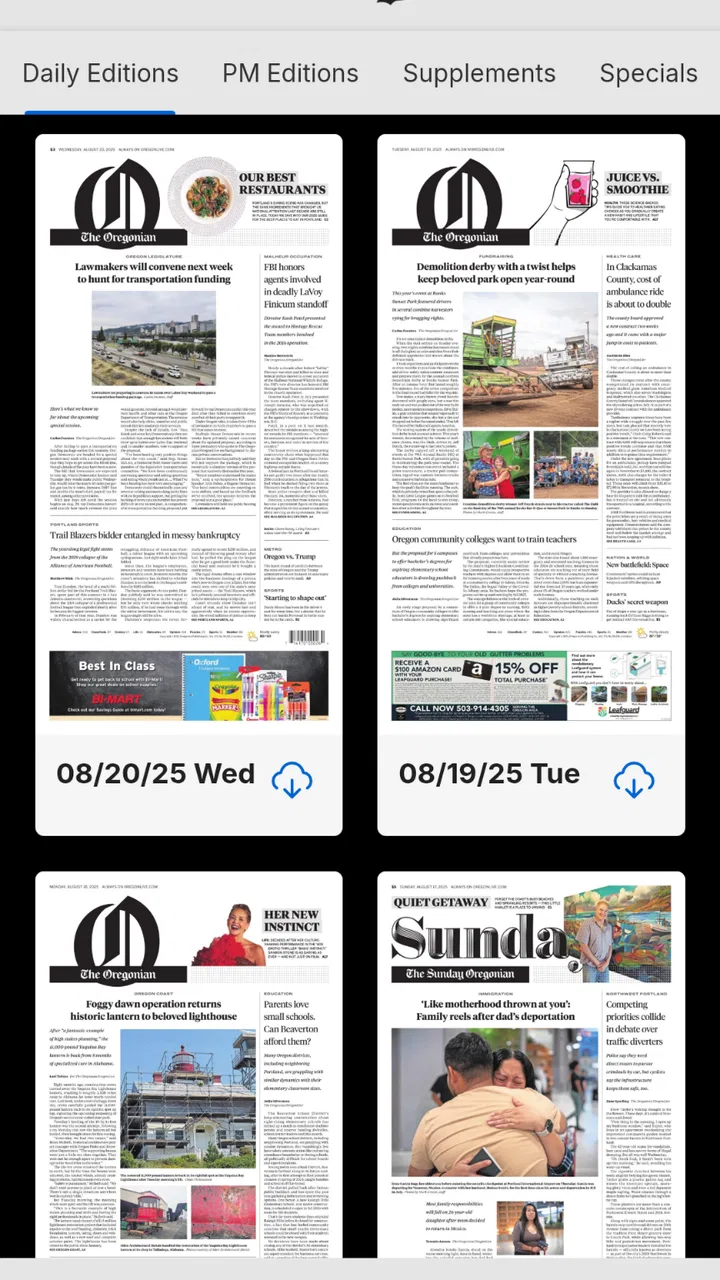
The Oregonian
- 3.6
- Rating
- 10.00K
- Installs
- Free
- Price

 Analysis by App-foxy
I found The Oregonian most useful as a shared window into local news rather than as a general-purpose news reader. It is the mobile app from OregonLive.com | Oregonian Media Group, built around the Oregonian online newspaper and aimed at people who want regional reporting close at hand. I used it with the expectations I would have for a newspaper app: open it when I want to catch up on Oregon stories, scan the day’s coverage, and return later when a developing local issue matters to me.
The app is free to install, which makes it easy to try before deciding whether it belongs on a household phone or tablet. Its store rating sits at 3.6 from 207 ratings, so the overall response is mixed rather than universally enthusiastic. That feels important here: this is not an app I would recommend simply because it carries a familiar newspaper name. Its value depends on whether local Oregon coverage is part of your daily routine and whether the app’s newspaper-style approach suits the way you prefer to read.
How it fits into a shared household routine
A realistic use case is a family tablet in the kitchen. One person checks local headlines with breakfast, another opens the app before commuting, and someone else uses it in the evening to follow a community issue. In that setting, the app has a clear advantage over a broad national news feed: it gives the household a common source for Oregon-focused coverage. Instead of everyone forwarding unrelated links from different apps, family members can point to the same publication and discuss the same local story.
You May Also Like

 Pandora - Music & Podcasts
Pandora’s Music Is Easy to Start, but Harder to Recover
Pandora’s strength is its low-effort path from a seed to a station. Its weak spot is how much confidence it asks you to place in connection, setup, and quiet recovery.

 AccuWeather: Weather Radar
AccuWeather Review: A Quick, Clear Forecast for Everyday Decisions
For everyday plans, the best forecast is the one you can understand quickly. AccuWeather makes rain timing, radar, and local conditions easy to act on, with a few trade-offs.

 Hill Climb Racing
Why Hill Climb Racing Still Turns Crashes Into One More Run
A tiny car, a bumpy hill and one more upgrade: Hill Climb Racing keeps resurfacing because its simple chaos makes every near-miss feel personal.

 AliExpress - Shopping App
AliExpress Makes Global Shopping Feel Personal, but Shoppers Bear the Risk
AliExpress turns a global marketplace into a pocket-sized discovery engine. Its reach is useful, its shopping loop compelling, and its trade-offs easy to miss.

 Lords Mobile: Kingdom Wars
Lords Mobile Is a Kingdom-Building Routine, Not a Quick Match
A case-by-case verdict on the building, battles, device demands, and social commitments that make Lords Mobile rewarding for some players and exhausting for others.

 PDF Scanner app - TapScanner
TapScanner Makes Paperwork Easier to Capture, Check, and Share
TapScanner makes scanning with a phone feel less like a rescue operation and more like a dependable step in getting work done. Its capture tools are useful, though not flawless.
More From Our News Desk
View All News


That shared-device scenario also exposes the app’s limits. A newspaper app is not automatically a family organizer, and I would not treat it as a space with separate household profiles or carefully divided reading areas. If several people use one device, I would keep expectations simple: the app is for reading, while conversations about who read what, which stories matter, or whether a topic is suitable for a younger reader still happen outside the app.
For an individual reader, the experience is more straightforward. I can open it when I want local context instead of relying on a national app that may mention Oregon only when a story becomes widely important. That distinction is the strongest reason to keep it installed. If your interests are mostly international headlines, technology, entertainment, or sports from many regions, a larger news aggregator will probably cover more ground with less need to switch sources.
The app is listed for Everyone 10+, which makes it broadly approachable for older children and adults, but I would not confuse that age label with a promise that every article will suit every reader. News can involve crime, disasters, politics, conflict, or other difficult subjects. In a shared home, I would let younger readers use it with ordinary parental judgment rather than assuming the age category removes the need for conversation.
What I noticed before making it part of the household
My first recommendation is to decide who the app is actually for. If one person in the home follows Oregon politics, schools, neighborhoods, weather-related developments, or regional public affairs, the app can earn its place quickly. If nobody has a strong connection to Oregon, installing it “just in case” is less convincing. Local news works best when it connects to where you live, work, study, or have family.
I would also decide whether the device is personal or shared. On a personal phone, reading habits are naturally private and easy to manage. On a common tablet, the practical boundary is the device itself: each person should understand that opening the app does not create a separate personal newspaper experience. This matters if household members have different interests or different comfort levels with current events.
The app runs on Android versions starting with 8.0, so it remains relevant for people keeping an older compatible phone or tablet in service. That can be useful for a household device that is no longer the newest model. At the same time, older hardware can make any news app feel less pleasant if storage is tight or the device already struggles with other applications. I would judge the experience on the actual household device, not only on a newer personal phone.
The current version is 8.0.0. I see that as a reason to keep the app updated through the normal app-store process, particularly if several people depend on the same installation. Updates are not merely about new presentation; they can affect stability and compatibility. On a shared device, one person postponing updates can leave everyone else dealing with the same old version.
Keeping accounts, payments, and expectations separate
The installation is free, but the app includes in-app purchases priced at $24.99 per item. That is the point where I would be more deliberate on a shared phone or tablet. A free download does not mean every part of the newspaper experience is necessarily covered by the initial installation, and a household should agree on who is allowed to make a purchase before anyone explores paid options.
I would especially avoid leaving a shared device unattended immediately after entering an account password or payment confirmation. Even without inventing any special family-control feature, the sensible approach is familiar: the person responsible for the store account should review purchase settings, keep credentials private, and make sure other household members know which actions require permission. This is a small step, but it prevents an awkward conversation later about an unexpected newspaper charge.
Account boundaries matter for another reason. If several people use one device, they may assume that the app will remember each person’s preferences separately. I would not build a household workflow around that assumption. Treat the installation as a shared copy of the publication unless the app clearly presents a sign-in or personalization option that meets your needs. When individual privacy or separate reading habits matter, separate devices are the cleaner solution.
For a couple or family that simply wants local headlines, this arrangement may be enough. One person can read in the morning, another can check the app later, and neither needs a complicated setup. For a household that expects multiple profiles, individualized recommendations, or carefully separated subscriptions, I would compare the app’s actual account flow with those needs before committing money or making it the only news source.
Using it to coordinate conversations, not just consume headlines
The most useful household habit I found is to use the app as a starting point for coordination. A local story can prompt practical questions: does a road issue affect tomorrow’s commute, does a community announcement matter to school plans, or should someone check on a relative in the area? The app is valuable in those moments because regional reporting gives a conversation a shared starting point.
I would not rely on a single headline for an important decision, though. News apps are designed for quick reading, and a headline may not contain all the context a family needs. My workflow would be to scan the main item, open the full article when the subject affects the household, and then discuss the relevant detail rather than forwarding only the headline. That is particularly worthwhile when the story involves public safety, weather, transportation, or a rapidly changing local situation.
There is also a useful division of labor for shared reading. One household member might use the app for community news, while another checks a broader national source for context. That combination is stronger than asking The Oregonian to replace every other news service. The local app supplies proximity; a general news app supplies breadth. I prefer that two-source approach when a story has consequences beyond Oregon.
A less obvious benefit is that the app can help people who have moved away stay connected to the region. A former Oregon resident may not need a full national news subscription just to keep track of local developments, but may still appreciate a familiar regional publication. The trade-off is that the app becomes most useful when the reader already knows why Oregon matters to them. It is not a universal replacement for a broad news feed.
For a shared device, I would establish a simple routine rather than expecting everyone to browse constantly. For example, one person can check local coverage during the morning, mention stories that affect the household, and leave deeper reading for the person most interested in the subject. This keeps the app from becoming background noise and makes its local focus more practical.
Age, trust, and reading judgment
The Everyone 10+ label gives the app a relatively accessible age context, but trust should come from reading critically, not from the age badge. I would be comfortable introducing it to an older child alongside an adult conversation about headlines, sources, opinion, and developing stories. A child who can read local news may still need help understanding why an early report can change as more information becomes available.
For adults, the same principle applies in a different form. A recognizable local newspaper can be a useful anchor, but no single publication should become the household’s only lens on complicated issues. I would compare major claims with other reputable sources when the stakes are high. That is not a criticism unique to this app; it is simply good news-reading practice, especially when a family is making decisions together.
The app’s local identity can actually support better media habits. Instead of endlessly scrolling through distant stories, a reader can ask whether a report affects their community and then look for the details that matter. I found that more purposeful than a generic feed, where the most dramatic item often wins attention regardless of relevance.
Still, readers who want extensive customization may find the newspaper format less flexible than a dedicated news aggregator. Aggregators are usually better for combining many publications, following a wide range of subjects, or building a single cross-country briefing. The Oregonian makes more sense when the publication itself is the reason you are opening the app.
Where it fits beside the usual alternatives
Compared with a web browser, a dedicated app is more convenient for a repeat reader because the publication has a direct place on the phone or tablet. I like that distinction for a daily routine: I do not need to start with a general search every time I want to check local coverage. The browser remains better when I am researching several sources at once or sharing a particular page with someone who does not use the app.
Compared with a national news application, this one offers a narrower but more relevant focus for Oregon readers. A national app may be more efficient for a quick summary of major events across the country and the world. I would choose The Oregonian when local detail is the priority, not when I want a complete morning briefing on everything happening everywhere.
Compared with social media, the app is a better starting point when I want reporting rather than an uncontrolled stream of reactions. Social platforms can surface eyewitness comments and community discussion, but they also mix rumor, opinion, and unrelated material. The newspaper app feels more deliberate. The trade-off is that social media may feel faster or more interactive, especially during a breaking event.
Compared with other local sources, the choice comes down to habit and coverage preference. Some readers prefer television apps, radio updates, newsletters, or a city-specific publication. I would keep this app if its Oregonian perspective consistently answers the local questions I have. I would skip it if another source already does that job better for my particular town or interests.
Practical strengths and everyday friction
The strongest practical quality is focus. The app does not need to convince me that every national story belongs in my day; its purpose is more grounded. That makes it useful for checking local developments during a short break, preparing for a conversation about community news, or staying connected to Oregon from another place.
Its main friction is the same narrow focus that gives it purpose. I would not install it expecting a complete replacement for a broad news service. I also would not assume that a free installation settles the cost question, because in-app purchases of $24.99 per item create a separate decision for the account holder.
The mixed average rating of 3.6 suggests that prospective users should try the current version on their own device rather than relying on reputation alone. A reader who values local coverage may find the app worthwhile even if the overall score is not exceptional. Another reader may reasonably decide that a browser, newsletter, or broader aggregator better matches their habits.
One useful test is to install it for the person who actually follows Oregon news, not for the entire household at once. Let that reader determine whether the app becomes part of a real routine. If it does, adding it to a shared tablet can make sense. If it sits unopened, the household has learned something without turning the app into an unnecessary commitment.
My household verdict
I recommend The Oregonian to households with a genuine Oregon connection and a clear need for local reporting. It works best as a shared reference point: one person discovers a relevant story, another checks the details, and the family uses that information to coordinate plans or understand the community around them. The free entry point makes testing easy, while the older Android compatibility helps it fit on a spare household device.
I would be cautious about treating it as a fully shared personal account or as the only news source in the home. Keep purchase responsibility with the account holder, set expectations about shared-device use, and remember that the Everyone 10+ label does not replace adult judgment about difficult news. Those boundaries make the experience more comfortable and reduce avoidable confusion.
My final view is that The Oregonian is a focused local-news app, not an all-purpose information hub. I would choose it for Oregon relevance, especially when local stories are part of everyday family decisions. I would choose a national aggregator for wider coverage, a browser for multi-source research, or another local service when its community focus better matches my needs. For the right household, that specialization is a strength; for everyone else, it may simply be too narrow.
FAQs for The Oregonian
01What is The Oregonian app?
The Oregonian app is the mobile edition of The Oregonian/OregonLive, providing news and information focused on Oregon and the Pacific Northwest. After installing it, users can browse local and regional stories, breaking news, politics, sports, business, entertainment, weather, and other coverage in a format designed for reading on Android and iOS devices.
02Is The Oregonian app free to download and use?
The app is generally free to download, and some articles or features may be available without payment. However, full access to the publication’s content can require a digital subscription, especially when users reach an article limit or want subscriber-only stories. Subscription prices, trial offers, and available plans may vary, so checking the current terms inside the app is recommended.
03What content can I read in The Oregonian app?
The Oregonian app covers a broad range of topics, including local Oregon news, Portland-area reporting, politics, crime, education, sports, business, food, entertainment, lifestyle, and weather. The selection is particularly useful for readers who want detailed regional journalism rather than only national headlines. Content availability may change depending on updates, subscriptions, and editorial priorities.
04Does The Oregonian app require an account or subscription?
You may be able to open the app and read selected content without creating an account, but an account is typically useful for managing subscriptions, saving preferences, and accessing subscriber benefits across supported platforms. A subscription may be required for unrestricted article access and premium content. Before subscribing, review the billing frequency, renewal conditions, and cancellation instructions.
05Is The Oregonian app worth downloading?
The app is worth considering if you live in Oregon, regularly follow Portland and Pacific Northwest news, or prefer receiving regional journalism on a mobile device. Its main advantage is focused local coverage that general news apps may not provide. Users who only want occasional headlines should first test the free content, since complete access may involve a paid subscription.
Pros
- Reliable local coverage of Oregon news and communities
- Strong reporting on Portland-area events and public affairs
- Includes sports coverage
- especially the Oregon Ducks
- Digital access makes articles available wherever you are
- Useful for readers seeking regional investigations and analysis
Cons
- Many premium articles require a paid subscription
- Some content may focus heavily on the Portland metro area
- Push notifications can feel frequent without customization
- App experience depends on a stable internet connection
- Coverage may be less useful for readers outside Oregon

The Oregonian
Gallery